Gemini Retro Prompt: 32 Vintage 70s, 80s and 90s Edits
Gemini retro prompt edits are one of the trends that never really goes away. Every few months, Instagram fills up again with warm film tones, old Bollywood posters and grainy point-and-shoot photos. People love retro edits because they feel nostalgic, warm and a little bit magical. They remind us of family albums, old movies and simpler times.
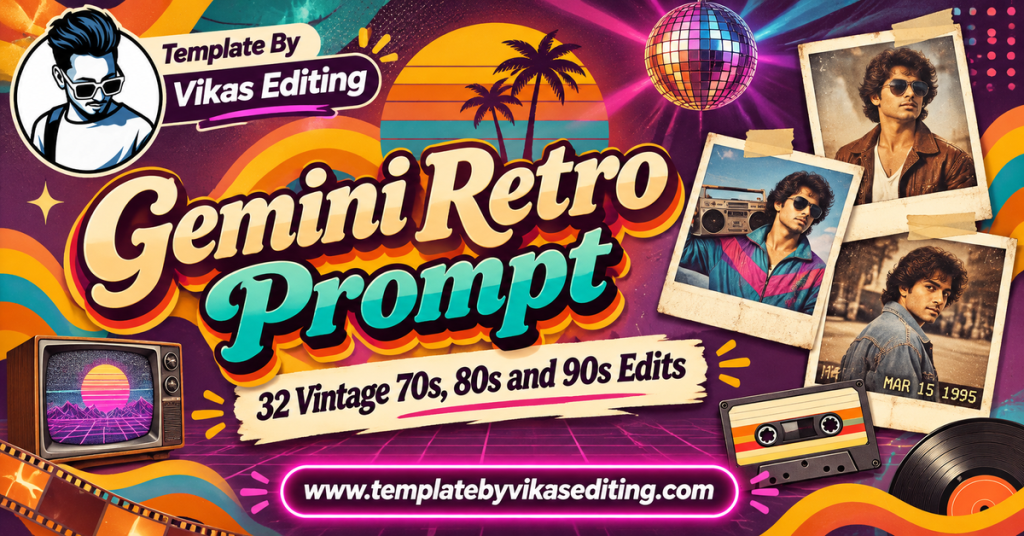
This page brings you 32 retro prompts grouped by era and style: the 70s, the 80s, the 90s and old studio and film camera looks. Each prompt keeps your face exactly the same while changing the colours, clothes, hairstyle and mood to match the era. Every prompt sits in its own colour box with a copy button.
After the prompts, you will find a simple guide to using them, a table comparing each era, tips for an authentic vintage look, a way to write your own retro prompts, common mistakes and answers to frequent questions. Everything is in clear, simple English. For outfit and poster ideas from real old films, browse classic movies on IMDb.
70s Gemini Retro Prompt Ideas
The 70s were about bold colours, big collars, bell-bottoms and warm sunlit film. These prompts bring that era back.
1Gemini Retro Prompt 70s Bollywood Hero
270s Heroine Polka Dot Look
370s Disco Night
470s Garden Song Scene
570s Hill Station Holiday
670s Scooter Couple Ride
770s Railway Station Farewell
870s Studio Glamour Portrait
80s Gemini Retro Prompt Ideas
The 80s brought neon colours, big hair, studio portraits and the first home video cameras.
9Gemini Retro Prompt 80s Neon Portrait
1080s Video Arcade
1180s Doordarshan TV Look
1280s Aerobics Workout
1380s Cassette Shop
1480s Family Album Photo
1580s Rock Star Stage
1680s Beach Holiday Snap
90s Gemini Retro Prompt Ideas
The 90s are the most popular retro era on Instagram right now, full of film posters, denim and soft romantic songs.
17Gemini Retro Prompt 90s Romantic Film Poster
1890s Denim on Denim
1990s Mustard Field Song
2090s College Canteen
2190s Hero Bike Entry
2290s Kitchen Mom Style
2390s Telephone Booth Call
2490s Couple Snow Song
Old Studio and Film Camera Looks
These prompts copy the look of old cameras and photo studios rather than a specific decade.
25Gemini Retro Prompt Old Photo Studio
26Point and Shoot Flash
27Black and White Film Print
28Sepia Old Letter Portrait
29Instant Film Square Photo
30Super 8 Video Still
31Hand Coloured Photo
32Film Negative Contact Sheet
How to Use a Gemini Retro Prompt
Step 1: Choose a Clear Photo
Pick a sharp photo with your face well lit. Modern clothes in the original photo are fine. The prompt changes the outfit to match the era.
Step 2: Open Gemini
Open the Gemini app or website and sign in.
Step 3: Upload Your Photo
Upload one photo for solo prompts. For couple or family prompts, upload each person’s photo in one message.
Step 4: Paste the Prompt
Copy a prompt from any box and paste it below your photo. Send it.
Step 5: Check the Retro Feel
Look at the colours, grain and clothes. Make sure your face still looks like you.
Step 6: Download and Post
Download in full quality. Retro edits look great as carousels with your original photo first.
Making the Look More Authentic
Add “light dust and scratches” or “faded corners” for an older feel. Use these words lightly so the face stays clear.
Keep the Face Sharp
Add “face sharp and clear” if the grain makes your face look blurry.
Adding Retro Text
For posters, keep titles short and in quotes. Hindi words in Roman letters often work well, like “DIL KI BAAT”.
If the Title Is Wrong
Remove the title and add it later in an editing app with a retro font.
Retro Eras Compared
| Era | Key Colours | Typical Outfits | Best For |
|---|---|---|---|
| 1970s | Warm orange, brown, mustard | Wide collars, bell-bottoms | Bollywood hero and heroine looks |
| 1980s | Neon pink, blue, purple | Big hair, bold prints, leather | Fun and party posts |
| 1990s | Warm faded, soft golden | Denim, chiffon, checked shirts | Romantic and film poster edits |
| Old studio | Sepia, black and white | Formal clothes | Family and classic portraits |
How to Write Your Own Gemini Retro Prompt
Every gemini retro prompt on this page follows a simple pattern you can reuse for any era.
Part 1: Lock the Face
Start with “Use my uploaded photo as the exact face reference and keep my face the same.”
Part 2: Name the Era
Say the decade clearly, like “1970s” or “1990s”. This one word changes the whole look.
Part 3: Describe Era Clothes and Place
Add one outfit and one place from that era, like “wide-collar shirt beside a vintage car”.
Part 4: Add the Film Look
Use words like “faded film colours”, “soft grain”, “light leaks” or “sepia”.
Part 5: Finish With Realism
End with “realistic retro photo” and a frame size.
Example You Can Try
“Keep my face the same. Show me in the 1990s sitting on a scooter outside a small tea stall, wearing a checked shirt. Warm faded film colours, soft grain, realistic retro photo, 4:5.” Change the place or outfit to make many new looks.
Why Retro Edits Go Viral Again and Again
Retro edits keep coming back because they touch our emotions. They remind people of their parents’ photos, old films and childhood memories. When you post a retro edit, friends and family often comment with memories of their own. That is why retro is one of the safest viral edit styles to try any time of year.
Nostalgia Brings Comments
People love to share stories under retro posts, which boosts engagement.
Before and After Is Fun
Showing your modern photo next to the retro version makes people stop and swipe.
It Works for All Ages
Young people find it fun, and older people find it touching. Retro edits connect generations.
Best Photos for Retro Edits
Use a clear, recent photo with simple lighting. A neutral expression or soft smile fits most eras. Avoid heavy filters, because the prompt will add its own film colours. For couple or family edits, use photos taken in similar light so everyone blends naturally into the old-style scene.
Tips for Authentic Retro Results
Do Not Mix Eras
Keep each prompt in one decade. Mixing 70s clothes with 90s posters looks confusing.
Use Warm Colours Lightly
Too much orange can make skin look unnatural. Ask for “natural skin tone with warm film colours”.
Pick Era-Correct Props
Old cars, scooters, cassette tapes, steel utensils and telephone booths instantly tell people the era.
Keep Grain Subtle
A little grain feels authentic. Heavy grain hides your face.
Retro Ideas for Special Occasions
A gemini retro prompt is not only for fun posts. It can make special days even more memorable.
Parents’ Anniversary
Recreate your parents as a 1980s couple in an old studio portrait. It makes a touching gift on their anniversary.
Birthday Throwback
Turn the birthday person into a 1970s film star and post it as a fun birthday wish.
Festival Posts
A 1990s style Diwali or Holi photo with warm faded colours feels fresh and nostalgic at the same time.
Friendship Day
Use the college canteen or scooter prompts to recreate a 90s friendship moment with your best friend.
Wedding Save the Date
Couples can create a retro film poster with their names and wedding date as a playful invite.
Keep It Personal
Add a small personal detail, like your parents’ real wedding year or your friend’s nickname on the poster. Personal touches make retro edits feel truly special.
Common Mistakes and Fixes
Face Looks Older
Add “keep my age the same” to stop the AI from ageing you to match the era.
Colours Look Too Modern
Add “faded film colours, low contrast” to the prompt.
Modern Objects Appear
Ask Gemini to “remove modern phones and objects, keep everything era-correct”.
Poster Text Is Spelled Wrong
Use short titles in quotes, or remove the text and add it later.
Share Your Retro Edits
Retro edits look amazing in a photo dump reel with an old Bollywood song. Many editing pages in the vikas edit style use retro posters as reel covers because they stand out on the grid. Try a photo template from our template by Vikas video CapCut list, or see more trending styles in our viral edit prompt list.
Restoring Real Old Photos vs Making Retro Edits
A retro edit creates a new vintage-style photo of you today. Restoring an old photo is different: it repairs a real photo from the past. Both are popular, and they work well together. You can restore your grandparents’ real photo and then make a retro edit of yourself in the same style, posting them side by side. For restore prompts, see our old photo restore prompt guide.
Frequently Asked Questions
What is a Gemini retro prompt?
A Gemini retro prompt is a ready text instruction that turns your modern photo into a vintage-style image from a past decade, like the 70s, 80s or 90s, while keeping your face the same.
Which era is most popular for retro edits?
The 1990s Bollywood look is the most popular in India right now, especially romantic film posters.
Can I make a retro edit of my parents?
Yes, with their permission. Use the old studio or family album prompts for a lovely result.
Will the retro filter make my photo blurry?
Not if you add “face sharp and clear” to the prompt. Keep grain light.
Are these retro prompts free?
Yes. All prompts are free, and Gemini offers free photo editing with daily limits.
Can I use these prompts on iPhone?
Yes. Gemini works on iPhone, Android and desktop browsers.
Conclusion
A gemini retro prompt takes you back in time with just one photo. Pick a decade, 70s, 80s, 90s or old studio, upload a clear photo and paste the prompt. Keep the face sharp, the grain subtle and the props era-correct for the most authentic look. Retro edits never go out of style, so save this page and come back whenever you want to add some nostalgia to your feed. Pick your favourite decade today and give your feed a warm, nostalgic touch.