
Gemini Old Photo Restore Prompt: 32 Ways to Fix Old Photos
Gemini old photo restore prompt ideas help you bring precious family memories back to life. Many of us have old photos of grandparents, parents and childhood days that are faded, scratched, torn or blurry. Professional restoration can be expensive and slow. With Gemini, you can scan or photograph an old print, paste one prompt and see it repaired in seconds.
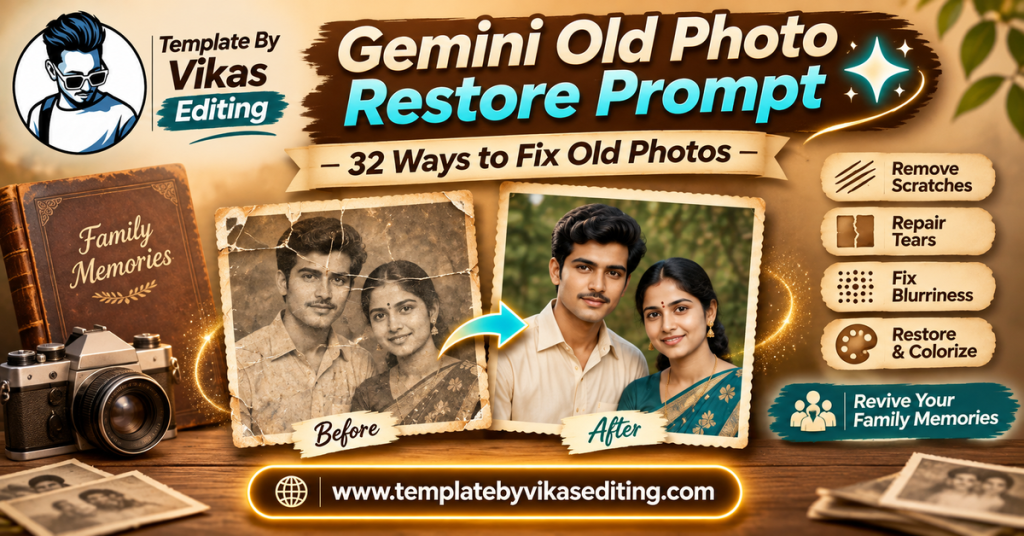
This page shares 32 restore prompts grouped into four sets: basic repair and cleaning, colour and tone fixes, sharpness and detail recovery, and special restoration jobs. Every prompt is written to keep real faces exactly as they are, because the goal of restoration is to recover the past, not to change it. Each prompt sits in its own colour box with a copy button.
After the prompts, you will learn how to scan old photos properly, a step-by-step guide, a table to choose the right fix, tips for respectful restoration, a way to write your own restore prompts, common mistakes and answers to frequent questions. To keep your original prints safe, follow the photo care advice from the Library of Congress.
Basic Repair Gemini Old Photo Restore Prompt Ideas
These prompts fix common damage like scratches, dust, cracks and stains.
1Gemini Old Photo Restore Prompt Full Repair
2Remove Scratches Only
3Fix Torn Corners
4Remove Fold Lines
5Clean Water Stains
6Remove Dust and Spots
7Repair Peeling Surface
8Fix Tape Marks
Colour and Tone Fix Prompts
These prompts fix faded colours, yellowing and add colour to black and white photos.
9Gemini Old Photo Restore Prompt Colourise
10Fix Faded Colours
11Remove Yellow Tint
12Fix Red Colour Cast
13Balance a Too-Dark Photo
14Fix a Washed-Out Photo
15Sepia to Natural Colour
16Keep Black and White, Improve Tone
Sharpness and Detail Recovery Prompts
These prompts help with blurry, low-quality or very small old photos.
17Gemini Old Photo Restore Prompt Sharpen Faces
18Upscale a Small Photo
19Fix Motion Blur
20Reduce Heavy Grain
21Recover Details From a Phone Photo of a Print
22Restore a Newspaper Photo
23Fix Out of Focus Background
24Restore Eyes and Smile Detail
Special Restoration Jobs
These prompts handle bigger tasks like group photos, missing parts and wedding albums.
25Gemini Old Photo Restore Prompt Group Photo
26Restore an Old Wedding Photo
27Rebuild a Missing Part
28Restore an ID Style Portrait
29Restore a Soldier’s Portrait
30Restore and Frame for Printing
31Restore a Child’s Old Photo
32Restore a Photo of a Building
How to Scan Old Photos Properly
A good scan makes restoration much easier. Follow these simple tips before you start.
Use Daylight
Place the photo near a window with soft daylight. Avoid direct sun and room lights that cause glare.
Keep the Phone Straight
Hold your phone directly above the photo so it is not tilted. A tilted photo looks stretched.
Use a Scanning App
Free apps like Google PhotoScan reduce glare by taking several shots. If you have a flatbed scanner, use it at 600 dpi or higher.
Clean the Photo Gently
Brush off loose dust with a soft, dry brush. Never use water or chemicals on old prints.
Handling Old Prints Safely
Old photos are fragile, so handle them with care. Hold prints by the edges and wash your hands before touching them. Never try to flatten a curled photo with heat or force; let it rest under a light book for a few days instead. Remove photos from old sticky albums slowly, and if a photo is stuck, scan it inside the album rather than pulling it out. Keep prints away from sunlight, heat and damp areas, and store them in acid-free sleeves or boxes once you have scanned them. These small steps protect the originals long after your digital restoration is done.
How to Use a Gemini Old Photo Restore Prompt
Step 1: Scan or Photograph the Old Photo
Follow the scanning tips above to get a clear digital copy.
Step 2: Open Gemini
Open the Gemini app or website and sign in.
Step 3: Upload the Scan
Upload the scanned photo. Upload only one photo at a time.
Step 4: Paste the Right Prompt
Choose a prompt that matches the main problem, like scratches, fading or blur, and paste it.
Step 5: Compare Carefully
Compare the result with the original. Faces should look like the same people, just clearer.
Step 6: Fix in Small Steps
For heavily damaged photos, fix one problem at a time: first scratches, then colour, then sharpness.
Working in Stages
Download each improved version and upload it again for the next fix. Step-by-step work gives the most natural results.
Keep Every Version
Save the original scan and each stage. If one step goes wrong, you can go back.
Checking Faces With Family
Show the restored photo to family members who knew the people. They can tell you if the faces look right.
When Faces Look Wrong
Go back to an earlier version and use a gentler prompt, like “remove scratches only”.
Which Fix Do You Need?
| Problem | Best Prompt Set | Difficulty | Tip |
|---|---|---|---|
| Scratches, dust, cracks | Basic repair | Easy | Fix damage first |
| Fading, yellowing, black and white | Colour and tone | Easy | Keep colours soft |
| Blur, small size, grain | Sharpness and detail | Medium | Do not over-sharpen |
| Group, wedding, missing parts | Special jobs | Medium to hard | Work in stages |
How to Write Your Own Gemini Old Photo Restore Prompt
Each gemini old photo restore prompt on this page follows a careful pattern.
Part 1: Name the Problem
Say exactly what is wrong: scratches, fading, blur, stains or missing parts.
Part 2: Say What to Fix
Describe the repair clearly, like “remove scratches” or “restore natural colours”.
Part 3: Protect the Real People
Always add “keep every face, expression and detail exactly the same”. This is the most important line.
Part 4: Say What Not to Do
Add “do not beautify or change anyone’s identity” to avoid changed faces.
Part 5: Ask for a Realistic Result
End with “realistic restored photo” so the photo still feels authentic.
Example You Can Try
“This old photo is faded and has a crease across the middle. Remove the crease and restore soft natural colours. Keep every face and detail exactly the same. Do not beautify. Realistic restored photo.” Clear, honest prompts give the most respectful results.
Respectful Restoration Tips
Old photos hold real memories of real people. A few simple rules keep restoration honest and respectful.
Recover, Do Not Reinvent
The aim is to show the photo as it was, not to create a new one. Avoid prompts that change clothes, backgrounds or expressions.
Keep Some Age
A little grain and softness is part of an old photo’s charm. Over-cleaned photos can look fake.
Note the Changes
When you share a restored photo, a short note like “restored with AI” keeps things honest and helps family know which version is the original.
Keep Names and Dates
Write the names of the people and the year on the back of the print or in the file name, so the memory stays complete.
Be Careful With Colourisation
Colours added by AI are guesses. If you post a colourised photo, consider mentioning that the colours were added later.
Keep the Original Safe
Store the original print in a dry, dark place and keep a copy of the untouched scan.
Building a Digital Family Archive
Restoring one photo is lovely. Restoring a whole family album is a gift for future generations. Here is a simple plan.
Collect Photos From Relatives
Ask parents, grandparents, uncles and aunts to share their old photos. Many families have prints scattered across different homes.
Scan Everything First
Scan all photos before restoring any. This protects the originals in case they get lost or damaged later.
Name Files Clearly
Use names like “Nana Nani wedding 1975” instead of random numbers. Add the year and people’s names when you know them.
Restore the Most Important Photos First
Start with photos of elders, weddings and big family moments. Then move to everyday photos.
Store Copies in Two Places
Keep one copy on your phone or computer and one in cloud storage like Google Drive. Share a folder with family so everyone can enjoy them.
Record the Stories
While collecting photos, ask elders to tell the story behind each one. Write it down or record a short voice note. A photo with its story is far more precious.
Make It a Family Project
Restoring an album together on a holiday or festival can bring the family closer and spark wonderful conversations.
When to Use a Professional Instead
AI restoration is fast and works well for most photos. But some jobs need a professional restorer: photos with large missing parts, very valuable historical prints or photos needed for legal or official use. A gemini old photo restore prompt is a great first step, and you can always take your best AI result to a professional for final touches.
Common Mistakes and Fixes
Faces Look Like Different People
Use a gentler prompt, fix one problem at a time and add “do not change faces” at both the start and end.
Skin Looks Too Smooth
Add “keep natural skin texture, no smoothing”.
Colours Look Too Bright
Add “soft, muted, era-appropriate colours” to the prompt.
New Details Were Invented
Ask Gemini to “only repair damage, do not add new objects or people”.
Restoration Ideas for Special Days
Restored photos make any special day more emotional. On a grandparent’s birthday, share their restored young portrait with a sweet message. On a parent’s wedding anniversary, restore their wedding photo and print it as a surprise. On Independence Day, families with soldiers or freedom fighters can respectfully restore and share their portraits. During Diwali cleaning, many people find old albums, which is a perfect time to scan and restore them together.
Before and After Posts
Show the damaged original next to the restored version. People love seeing the change, and it often brings back memories for relatives who see the post.
Memory Reels
Put several restored photos into a slow, emotional reel with soft piano music. Add short captions with names and years for each photo.
Share Restored Photos With Family
Restored photos make wonderful gifts. Print them, frame them or create a small family album. You can also make a memory reel with a slow emotional template from our template by Vikas video CapCut list. The editing by vikas style is all about bringing out the best in real photos, and restoring family memories is one of its most meaningful uses. For retro edits of yourself in the same style, see our Gemini retro prompt guide. Once your old photos are restored, bring everyone together with our Gemini family photo prompt guide.
Frequently Asked Questions
What is a Gemini old photo restore prompt?
A Gemini old photo restore prompt is a ready text instruction that tells Gemini how to repair an old photo, such as removing scratches, fixing colours or sharpening faces, while keeping the people the same.
Can Gemini restore very damaged photos?
Gemini can fix a lot of damage, but very badly damaged photos may need several steps. Work in stages and compare each result with the original.
Will the restored faces look the same?
Usually, yes, if you use clear prompts that protect faces. Always check with family members who knew the people.
Is colourisation accurate?
AI colourisation is a careful guess. It looks natural but may not match the real colours exactly.
Can I print restored photos?
Yes. Download the result in full quality and print it at a photo shop. Ask for matte paper for an old-photo feel.
Are these restore prompts free?
Yes. All prompts are free, and Gemini offers free photo editing with daily limits.
Conclusion
A gemini old photo restore prompt can bring faded, torn and blurry family photos back to life in minutes. Scan your photos carefully, choose a prompt that matches the problem and fix one thing at a time. Always protect real faces, keep a little of the photo’s age and save the original. Restoring old photos is one of the most meaningful ways to use AI, so take your time and share the results with the people who will treasure them most.