Gemini Saree Prompt: 32 Elegant Saree Looks to Copy
Gemini saree prompt ideas are among the most loved AI edits in India. A saree photo carries grace, culture and confidence all at once. But a real saree shoot needs the right saree, a matching blouse, jewellery, a nice location and someone who can drape it well. Many girls simply do not have all of that ready. With Gemini, one clear selfie and the right prompt can give you a beautiful saree portrait in seconds, with your face, smile and skin tone kept exactly the same.
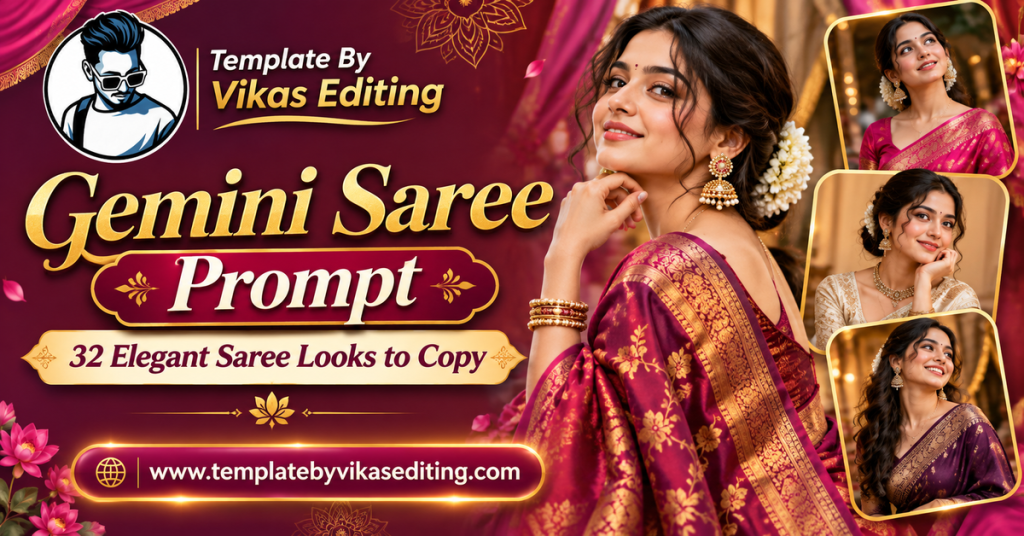
This page has 32 saree prompts grouped into four sets: silk and bridal sarees, simple cotton and daily wear sarees, regional sarees from across India, and modern party sarees. Each prompt sits in its own colour box with a one-tap copy button, so you can use it easily on mobile or desktop.
Below the prompts, you will find a simple step-by-step guide, a table that matches each saree style to the right occasion, tips for real-looking fabric and jewellery, a way to write your own saree prompts, common mistakes and answers to the questions people ask most. Everything is written in plain, easy English. For the latest saree trends and styling ideas, browse Vogue India.
Silk and Bridal Gemini Saree Prompt Ideas
Silk sarees are the queen of Indian wardrobes. These prompts focus on rich fabric, real shine and graceful draping.
1Gemini Saree Prompt Royal Maroon Silk
2Bridal Red Silk Portrait
3Emerald Silk Evening Look
4Mustard Silk Festive Shot
5Ivory and Gold Silk Grace
6Royal Blue Bridal Reception
7Wine Silk Close-Up
8Peacock Blue Silk Garden
Cotton and Daily Wear Saree Prompts
Cotton sarees feel simple, calm and real. These prompts are perfect for everyday elegance and soft aesthetic posts.
9Gemini Saree Prompt White Cotton Morning
10Handloom Saree Library Look
11Pastel Mul Cotton Saree
12Office Saree Confidence
13Rainy Day Cotton Saree
14Teacher Saree Portrait
15Market Walk Cotton Saree
16Black Cotton Saree Minimal
Regional Saree Prompts From Across India
India has hundreds of beautiful saree styles. These prompts celebrate famous regional weaves.
17Gemini Saree Prompt Paithani Maharashtra
18Bandhani Gujarat Look
19Chikankari Lucknow Grace
20Kasavu Kerala Onam Look
21Pochampally Ikat Style
22Patola Wedding Guest
23Baluchari Bengal Durga Puja
24Sambalpuri Odisha Portrait
Modern and Party Saree Prompts
Modern sarees mix tradition with fashion. These prompts are perfect for parties, receptions and stylish feeds.
25Gemini Saree Prompt Sequin Party Saree
26Pre-Draped Ruffle Saree
27Organza Floral Saree
28Black Net Saree Glam
29Saree With Belt Style
30Saree With Denim Jacket
31Metallic Gold Reception Saree
32Pastel Lavender Sangeet Saree
How to Use a Gemini Saree Prompt
Using these prompts takes less than a minute. Here is the full process step by step.
Step 1: Choose a Clear Photo
Pick a sharp photo where your face is well lit and fully visible. A front-facing or slightly turned selfie works best. You do not need to wear a saree in the original photo.
Step 2: Open Gemini
Open the Gemini app or website and sign in with your Google account.
Step 3: Upload the Photo
Tap the plus or image icon and choose your photo. Upload only one photo for these prompts.
Step 4: Copy and Paste
Tap the copy button on any saree box above. Paste the prompt below your photo and send it.
Step 5: Check the Details
Zoom in on your face, the drape, the blouse and the jewellery. Look at the hands and bangles too.
Step 6: Fix and Download
If something looks off, ask for one small change, then download the photo in full quality.
Changing the Saree Colour
You can change any colour in a prompt. For example, change “royal maroon” to “bottle green”. Keep the face line and the rest of the prompt the same.
Match the Border and Jewellery
When you change the saree colour, check the border and jewellery too. Gold suits warm colours like red and mustard, while silver suits cool colours like blue and grey.
Choosing the Right Drape
Most prompts use the classic Nivi drape. You can add “Bengali style drape” or “Gujarati seedha pallu drape” for a regional touch.
Keep It Simple
If the drape comes out messy, remove the drape style from the prompt and let Gemini choose a classic look.
Saree Styles and Occasions
This simple table helps you pick a saree style for your post.
| Saree Style | Best Occasion | Jewellery | Suggested Frame |
|---|---|---|---|
| Silk and bridal | Weddings and big festivals | Gold, temple style | 9:16 |
| Cotton and daily | Everyday posts and office looks | Silver or minimal | 4:5 |
| Regional weaves | Cultural days and festivals | Traditional pieces | 9:16 or 4:5 |
| Modern and party | Receptions and parties | Statement earrings | 9:16 |
How to Write Your Own Gemini Saree Prompt
Once you understand the pattern, you can create a saree look for any idea. Every gemini saree prompt on this page follows five simple parts.
Part 1: Lock Your Face
Start with “Use my uploaded photo as the exact face reference and keep my face, smile and skin tone the same.” This protects your identity.
Part 2: Name the Saree
Describe the colour, fabric and one detail: “a mint green chiffon saree with a silver border”.
Part 3: Add the Blouse and Jewellery
Mention one blouse style and one or two jewellery pieces. Less is more.
Part 4: Choose the Place and Light
Pick one place, like a haveli, garden or rooftop, and one light type, like golden hour or soft window light.
Part 5: Finish With Quality
End with “realistic photo, natural fabric folds” and a frame size like 4:5 or 9:16.
Example You Can Try
“Keep my face, smile and skin tone the same. Dress me in a coral georgette saree with a gold border and small pearl earrings. I stand on a balcony with plants at golden hour. Graceful mood, realistic photo, natural fabric folds, 4:5.” This short prompt usually gives a lovely result.
Best Photos for Saree Edits
The photo you upload decides how natural your saree portrait looks. Take a selfie in soft daylight, facing a window. Keep your hair away from your face. Turn off beauty mode so your real skin texture stays. If you want a full-length saree photo, upload a full-body photo so Gemini knows your height and body shape. For close-up portraits, a head-and-shoulders selfie is enough.
Tips for Real-Looking Sarees
Describe Real Fabric
Use words like “real silk shine”, “soft cotton texture” or “light chiffon flow”. These help the fabric look true to life.
Keep Jewellery Light
One necklace and one pair of earrings look elegant. Too many pieces can blur together and look fake.
Protect Your Skin Tone
Add “keep my exact skin tone” to stop the AI from lightening your skin. This is very important for Indian skin tones.
Use Natural Poses
Standing, walking or sitting poses work best. Complex poses can twist the pallu and arms in strange ways.
Match the Place to the Saree
Silk sarees look great in havelis and temples. Cotton sarees suit gardens, verandahs and libraries. Party sarees shine with city lights.
Common Mistakes and Fixes
The Face Looks Different
Upload a clearer, front-facing photo and repeat the face-lock line at the end of the prompt.
The Saree Looks Like Plastic
Add “realistic fabric texture and natural folds” and remove words like glossy or shiny if the result looks fake.
The Pallu Looks Messy
Ask Gemini to “fix the pallu drape so it falls neatly over the left shoulder”.
Skin Looks Too Fair
Add “keep my natural skin tone, do not lighten my skin” right after the face line.
Extra Bangles or Fingers
Ask for “fix the hands only, keep everything else the same”.
Share Your Saree Looks
Once you have your favourite saree photos, turn them into a reel with a photo template, or post them as a carousel with one look per slide. Saree photos do very well during festivals, weddings and cultural days. Pages in the editing by vikas style often share saree edits on Diwali, Navratri and wedding season because they get strong engagement. For more prompts, see our Gemini prompt for girls collection and for festival ideas, our Gemini Diwali photo prompt collection. Brides and wedding guests can find more looks in our Gemini wedding photo prompt guide. For devotional saree looks at the ghat, see our Chhath Puja photo prompt guide.
Frequently Asked Questions
What is a Gemini saree prompt?
A Gemini saree prompt is a ready text instruction you paste into Google Gemini with your photo. It tells the AI to dress you in a specific saree while keeping your face the same.
Do I need to wear a saree in my original photo?
No. You can upload any clear photo, even in jeans or a t-shirt. The prompt changes your outfit to a saree.
Will Gemini keep my skin tone?
Usually, yes, if you include “keep my exact skin tone” in the prompt. Every prompt here includes a face and skin tone line.
Can I make a full-length saree photo?
Yes. Upload a full-body photo and add “full-length portrait” to the prompt for the best result.
Which saree prompt is best for a wedding post?
Try the Bridal Red Silk Portrait, Royal Blue Bridal Reception or Patola Wedding Guest prompts.
Are these saree prompts free?
Yes. All prompts are free, and Gemini offers free photo editing with daily limits.
Conclusion
A gemini saree prompt lets you wear any saree you dream of, from royal silk to simple cotton, in just a few seconds. Pick a set that matches your occasion, upload a clear photo and paste the prompt. Protect your face and skin tone, keep jewellery simple and describe real fabric for the best result. Save this page so you always have a beautiful saree look ready for your next festival, wedding or feed post.