Nano Banana Prompt: 32 Viral Photo Edits You Can Copy
Nano Banana prompt ideas are behind many of the viral AI photos you see on Instagram today. Nano Banana is the popular nickname for the image model inside Google Gemini that edits and creates pictures. It is fast, it keeps faces well and it understands simple English. That is why creators, small businesses and students all use it.
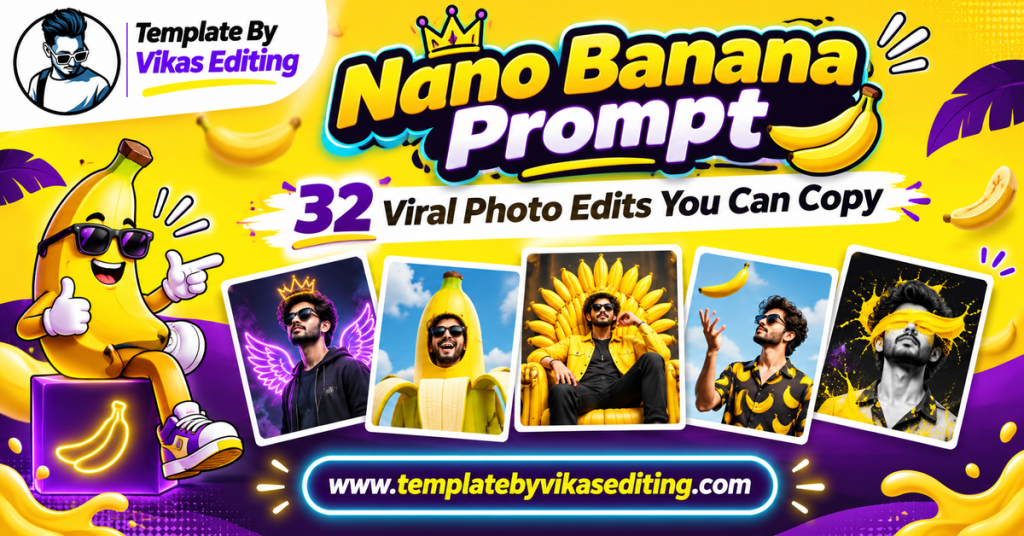
This page gives you 32 nano banana prompt ideas that go beyond basic selfies. We have grouped them into four sets: editorial portraits, product and business shots, scene and season swaps, and creative viral trends. Each prompt sits in its own colour box with a copy button, ready to paste into Gemini.
After the prompts, you will learn how to use Nano Banana step by step, how it compares with other tools, how to write your own prompts, tips for sharper results, common mistakes and answers to frequent questions. Everything is in simple words. Nano Banana comes from Google DeepMind, the team behind Gemini’s image models.
Editorial Nano Banana Prompt Ideas
Editorial prompts give you high-fashion, magazine-style portraits. They look premium and are great for profile pictures and portfolios.
1Nano Banana Prompt Editorial Studio Portrait
2Hard Shadow Sunlight Portrait
3Colour Gel Lighting Portrait
4Wet Look Beauty Shot
5Wind Machine Fashion Shot
6Glass Reflection Portrait
7Classic Hollywood Portrait
8Minimal White Editorial
Product and Business Nano Banana Prompts
Small businesses love Nano Banana for quick product photos. These prompts work with photos of your own products.
9Nano Banana Prompt Clean Product Shot
10Lifestyle Product Scene
11Floating Product Ad
12Handmade Jewellery Display
13Food Menu Photo
14Clothing Flat Lay
15Skincare Bottle Water Scene
16Shop Owner Portrait
Scene and Season Swap Prompts
These prompts change the world around you while keeping you the same. They are great for seasonal posts.
17Nano Banana Prompt Summer to Winter Swap
18Day to Night Swap
19Add Rain to a Photo
20Autumn Leaves Scene
21Spring Flowers Bloom
22Foggy Morning Mood
23Golden Hour Relight
24Festival Decor Add
Creative Viral Nano Banana Prompts
These are the fun trends that people share the most.
25Nano Banana Prompt Me and My Doll Version
26Phone Screen Pop-Out
27Cartoon Me Sitting Beside Real Me
28Tiny Me on a Coffee Cup
29Comic Sound Effect Photo
30Hand-Drawn Doodle Overlay
31Me in a Retro Video Game
32Portrait Made of Flowers
How to Use a Nano Banana Prompt
Step 1: Open Gemini
Nano Banana works inside Google Gemini. Open the Gemini app or website and sign in.
Step 2: Upload Your Photo
Tap the image icon and upload a clear photo of yourself, your product or your scene.
Step 3: Paste the Prompt
Copy any prompt from the boxes above and paste it below your photo. Send it.
Step 4: Review the Result
Check faces, product labels and small details. Nano Banana is good at keeping details, but always look closely.
Step 5: Refine One Detail at a Time
If something needs fixing, ask for one change, like “keep the label text exactly the same”.
Step 6: Download
Download in the highest quality and use it for your posts, store or reels.
Using Nano Banana Pro
If your plan includes the stronger Pro version, use it for posters, small text and very detailed product shots.
When the Normal Model Is Enough
For most portraits and scene swaps, the normal model gives great results and works faster.
Editing Product Labels
Product labels can change slightly. Add “keep the label, logo and text exactly the same” to every product prompt.
Check Before Selling
Always compare the edited product with the real one before using it in your shop, so customers see the true product.
Nano Banana Compared With Other Tools
| Tool | Face Keeping | Product Edits | Text in Images | Free Option |
|---|---|---|---|---|
| Nano Banana (Gemini) | Excellent | Excellent | Good | Yes, limits |
| Nano Banana Pro | Excellent | Excellent | Very good | Limited |
| ChatGPT Images | Good | Good | Very good | Limited |
| Meta AI | Average | Average | Average | Yes |
How to Write Your Own Nano Banana Prompt
Writing your own nano banana prompt is easy once you know the pattern.
Say What Must Stay the Same
Start with what should not change: your face, the product label or the room. This line protects the important parts.
Say What Should Change
Clearly describe the one change you want: a new background, new light, a new season or a creative effect.
Add Light and Mood
Mention the light, such as golden hour or soft studio light, and one mood word.
End With the Final Look
Finish with “realistic photo” or the art style you want, plus a frame size if needed.
The Keep + Change Rule
Every strong prompt has a keep part and a change part. “Keep my face the same. Change the scene to winter.” This simple rule works almost every time.
Tips for Sharper Nano Banana Results
Start With High-Quality Photos
Clear, bright photos give clear, bright results. Avoid screenshots and heavily compressed images.
Keep Prompts Short and Clear
Nano Banana understands simple English very well. Short sentences beat long paragraphs.
Edit in Steps
Change the background first, then the light, then add effects. Step-by-step edits look more natural.
Name the Frame Size
Add 1:1 for store photos, 4:5 for feed posts and 9:16 for reels. The right size from the start saves you from cropping later and keeps details sharp.
Use Real Details
Small real details like “steam from the cup” or “water drops on the bottle” make images feel alive.
Nano Banana for Small Businesses
Many small shop owners in India now use a nano banana prompt to create product photos instead of paying for a photoshoot. It saves money and time, and the results look professional when used carefully.
Product Photos for Online Stores
Take a simple photo of your product on any plain surface in daylight. Then use the clean product prompt to place it on a white or marble background. This gives you store-ready images in minutes.
Social Media Posts
Use lifestyle and floating ad prompts to create eye-catching posts for Instagram and WhatsApp status. Change the background colour to match festivals or sales.
Menu and Catalogue Images
Restaurants and home bakers can make menu photos look appetising with the food prompt. Clothing sellers can create neat flat lays for catalogues.
Owner and Team Portraits
A friendly shop owner portrait builds trust. Customers like to see the real person behind the business.
Stay Honest With Customers
Never change the product’s colour, size or quality in a way that misleads buyers. Use AI to improve the photo, not to change the product.
Keep a Real Photo Too
Many sellers show one AI-styled photo and one plain real photo. This keeps trust high and returns low.
Best Photos to Upload to Nano Banana
For portraits, use a sharp selfie in natural light with your full face visible. For products, take the photo from the front, in daylight, on a plain background, with the label clearly readable. For scene swaps, choose photos where you stand away from the background so the edges stay clean. A good starting photo makes every nano banana prompt work better.
Common Mistakes and Fixes
Face Changes Slightly
Repeat the face-lock line at the end and use a sharper photo.
Product Colour Changes
Add “keep the exact product colour” and upload a photo taken in daylight.
Text Looks Wrong
Keep text short and in quotes, or remove it and add text later in an editing app.
Image Looks Too Perfect
Add “natural skin texture” or “realistic imperfections” for a more believable result.
Why Nano Banana Became So Popular
Nano Banana spread fast because it does three things very well. First, it keeps faces and products accurate, which older tools struggled with. Second, it understands short, plain English, so anyone can use it without learning special prompt tricks. Third, it is fast, often giving results in seconds. Together, these make it the first choice for quick viral edits.
It Rewards Simple Prompts
You do not need long, technical prompts. A clear keep-and-change sentence often gives the best result.
It Is Built Into Gemini
Millions of people already have Gemini on their phones, so trying Nano Banana takes no extra setup.
Trends Spread Easily
When one creator shares a nano banana prompt that works, thousands of people copy it and add their own twist. That is how new trends appear almost every week.
Use Your Results Across Your Content
Turn your Nano Banana portraits into reels with our template by Vikas video CapCut list. For more Gemini ideas, see our Gemini AI photo prompt guide and viral edit prompt list. For collectible toy edits, try our Gemini 3D figurine prompt guide.
Fun Ways to Practise With Nano Banana
The best way to get better is to play. Take one photo and try five different scene swaps: winter, rain, night, autumn and festival. Compare the results side by side and notice which words gave the most natural light. Then try the same idea on a product photo. In one evening of practice, you will understand how each nano banana prompt changes the image, and you will start writing your own ideas with confidence.
Frequently Asked Questions
What is a Nano Banana prompt?
A Nano Banana prompt is a text instruction for Google’s Nano Banana image model inside Gemini. You add it with a photo to edit or create images.
Is Nano Banana free?
Yes, you can use Nano Banana in Gemini for free with daily limits. Paid plans offer more uses and access to the Pro version.
Is Nano Banana the same as Gemini?
Gemini is the app, and Nano Banana is the image model inside it. When you edit photos in Gemini, you are usually using Nano Banana.
Can I use Nano Banana for my business photos?
Yes. It works well for product shots and shop photos. Always make sure the edited product looks like the real one.
Why are some prompts blocked?
Gemini blocks some prompts for safety, such as editing photos of famous people or making harmful content. Keep prompts about yourself, your products and friendly scenes.
How many prompts can I use per day?
The free limit changes from time to time. If you reach it, wait until the next day or upgrade your plan.
Conclusion
A nano banana prompt is the simplest way to create editorial portraits, product photos, seasonal scenes and fun viral trends in Gemini. Use the keep-and-change rule, start with a clear photo and edit in small steps. Whether you are a creator, a student or a small business owner, these 32 prompts give you a strong start. Save this page and try a new idea every week. Try one new prompt this week, and you will see how quickly your editing skills grow.