Gemini 3D Figurine Prompt: 32 Toy and Collectible Edits
Gemini 3D figurine prompt edits became one of the biggest AI trends on Instagram. Suddenly, everyone was posting tiny versions of themselves standing on a desk, sealed in a toy box or sitting next to a computer screen showing their 3D model. These edits are fun, creative and very easy to share. Best of all, you only need one clear photo and the right prompt.
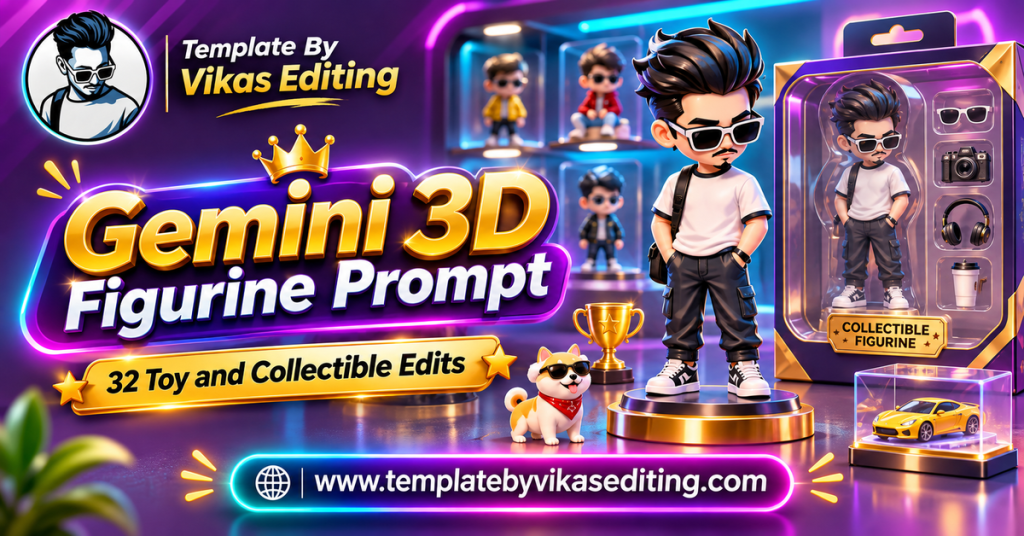
This page gives you 32 figurine prompts grouped into four sets: desk collectible figures, chibi and cute toys, action figures and boxed toys, and themed figurines for jobs, sports and festivals. Each prompt keeps your face, hairstyle and outfit recognisable and sits in its own colour box with a copy button.
After the prompts, you will find a simple guide, a table comparing figurine styles, tips to make your figure look like a real product photo, a way to write your own prompts, common mistakes and answers to frequent questions. Everything is explained in plain English. If you want a real figure later, you can find printable models on Thingiverse.
Desk Collectible Gemini 3D Figurine Prompt Ideas
This is the original viral trend: a realistic figure of you on a desk, often with its packaging and 3D model nearby.
1Gemini 3D Figurine Prompt Classic Desk Trend
2Figure With Packaging Art
3Figure on a Gaming Setup
4Figure in a Glass Display Case
5Figure Next to the Real Me
6Figure on a Bookshelf
7Figure Being Painted
8Figure With 3D Printer
Chibi and Cute Figurine Prompts
Chibi figures have big heads and small bodies. They are adorable and perfect for profile pictures and stories.
9Gemini 3D Figurine Prompt Chibi Desk Buddy
10Chibi in a Capsule Toy
11Chibi Keychain
12Chibi on a Cake
13Chibi Couple Figures
14Chibi With Pet
15Chibi Plushie Style
16Chibi Fridge Magnet
Action Figures and Boxed Toys
These prompts turn you into an action figure with accessories, sealed in packaging like a real toy.
17Gemini 3D Figurine Prompt Blister Pack Hero
18Creator Action Figure Set
19Student Action Figure
20Gym Action Figure
21Chef Action Figure
22Traveller Action Figure
23Doctor Action Figure
24Office Worker Action Figure
Themed Figurine Prompts
These figurines celebrate jobs, sports, festivals and hobbies.
25Gemini 3D Figurine Prompt Cricket Player Figure
26Diwali Figurine
27Wedding Couple Figurines
28Musician Figure
29Gamer Figure With Controller
30Biker Figure
31Graduation Figure
32Christmas Figurine
How to Use a Gemini 3D Figurine Prompt
Step 1: Pick a Full or Half-Body Photo
Figurines show your outfit, so a photo from the waist up or a full-body photo works best. Make sure your face is clear.
Step 2: Open Gemini
Open the Gemini app or website and sign in with your Google account.
Step 3: Upload the Photo
Upload one photo for solo figures, or two photos for couple figures.
Step 4: Paste the Prompt
Copy a prompt from any box and paste it under your photo. Change the name on the packaging if the prompt mentions one.
Step 5: Review the Figure
Check the face, outfit colours and accessories. Figurines are stylised, so the face should look similar, not identical.
Step 6: Download and Share
Download in full quality and share it as a post, story or DP.
Making the Face More Accurate
Add “keep the face as close to the uploaded photo as possible” if the figure looks too generic.
Use a Front-Facing Photo
A straight-on photo gives the clearest face details for a figurine.
Changing the Scale
You can change “1/7 scale” to “1/4 scale” for a bigger, more detailed figure, or “tiny miniature” for a smaller one.
Bigger Scale, More Detail
Larger figures show more detail in clothes and faces, which can make them look more like you.
Figurine Styles Compared
| Style | Face Match | Look | Best For |
|---|---|---|---|
| Desk collectible | Very close | Realistic premium figure | Main viral trend posts |
| Chibi and cute | Similar | Big head, small body | DPs and stories |
| Action figure box | Close | Toy with accessories | Fun and job-themed posts |
| Themed figurine | Close | Hobby or festival figure | Festivals and milestones |
How to Write Your Own Gemini 3D Figurine Prompt
Every gemini 3d figurine prompt here follows a simple structure.
Part 1: Choose the Figure Type
Collectible figure, chibi toy, action figure or plush doll. Say it clearly at the start.
Part 2: Keep the Person Recognisable
Add “keeping the face, hairstyle and outfit accurate” so the figure looks like you.
Part 3: Set the Display
Desk, shelf, glass case, blister pack or cake. One display idea is enough.
Part 4: Add Accessories
Two to four small items that show your personality, like a camera, books or a guitar.
Part 5: Finish With Product Lighting
End with “soft studio light, realistic product photo” for a believable result.
Example You Can Try
“Create a realistic collectible figure of the person in my uploaded photo, keeping the face and outfit accurate, standing on a wooden desk next to a small plant and a cup of chai. Soft daylight, realistic product photo.” Simple ideas from your daily life make the most personal figurines.
Why Figurine Edits Went Viral
Figurine edits spread fast because they are fun, surprising and easy to make. People love seeing themselves as a tiny collectible. The desk setup with the 3D screen made the edit look like a real product, which made people curious. Friends tagged each other to try it, and the trend kept growing.
Everyone Can Join
No editing skills are needed, just one photo and one prompt.
It Shows Personality
Accessories like cameras, books or gym gear show what you love.
It Works as a Gift Idea
Many people use figurine images as birthday surprises or even get real figures made from them.
Best Photos for Figurine Edits
Use a photo where your full outfit is visible and your face is clear. Bright, even lighting works best. Simple clothes with clear colours turn into cleaner figures than busy patterns. If you wear glasses or have a signature accessory, keep it in the photo so the figure includes it.
Tips for Realistic Figurine Photos
Use Product Words
Words like “acrylic base”, “studio light” and “macro photo” make the result look like a real product photo.
Keep the Background Simple
A clean desk or shelf keeps attention on the figure.
Add a Small Real Object
A coffee mug, plant or keyboard nearby gives a sense of scale and makes the figure feel real.
Use Soft Shadows
A gentle shadow under the figure makes it feel like it is really standing on the desk.
Show the Base Clearly
A visible acrylic or wooden base instantly tells viewers this is a collectible figure. Ask for “round transparent base” in your prompt.
Avoid Real Brand Names
Do not ask for famous toy brand logos. Keep the packaging original.
Figurine Gift and Party Ideas
A gemini 3d figurine prompt result is more than a fun post. It can become a creative gift or party idea.
Birthday Surprise Card
Make a figure of your friend with accessories that match their hobbies. Send it at midnight with a short birthday wish.
Team or Office Figures
Create a figure for each team member with tiny items that show their role. Share them in the group chat for a laugh on a Friday.
Couple Anniversary Figures
Turn both partners into a pair of figures on a decorated base with the anniversary date engraved. It makes a sweet anniversary post.
Wedding Cake Topper Idea
Many couples now use figurine images as a reference for custom cake toppers made by bakers.
Kids’ Superhero Figure
With a parent’s permission, turn a child into a friendly superhero figure with a cape. Kids love seeing themselves as a toy.
Ask Before You Share
Always check with the person before posting a figure of them. Most people love it, but it is kind to ask first.
Common Mistakes and Fixes
The Figure Looks Like Someone Else
Use a clearer photo and add “keep the face very close to the uploaded photo”.
Outfit Colours Changed
Add “keep the exact outfit colours from the photo”.
Accessories Look Messy
Reduce the number of accessories to two or three.
Packaging Text Is Wrong
Keep text short and in quotes, or remove it and add it later in an editing app.
Figurine Ideas by Personality
Match your figure to who you are. Book lovers can stand on a stack of tiny books. Coffee fans can sit on the rim of a mug. Travellers can hold a mini globe. Artists can hold a paint brush taller than themselves. Gamers can sit in a tiny gaming chair. Small personal details like these make your figure feel like you, not just a generic toy.
Share Your Figurine Edits
Figurine edits work great as a before-and-after carousel: your real photo first, then the figure. You can also put several figures into a reel with a photo template from our template by Vikas video CapCut list. For more creative prompts, see our Nano Banana prompt guide and viral edit prompt list.
Frequently Asked Questions
What is a Gemini 3D figurine prompt?
A Gemini 3D figurine prompt is a ready text instruction that turns your photo into a realistic toy or collectible figure image using Google Gemini.
Can I get a real figure made from the image?
Some 3D printing services can make real figures from images or 3D models. The AI image is a good reference, but a real figure needs a proper 3D model.
Will the figure look exactly like me?
It will look similar, with your hairstyle, outfit and key features. Figurines are stylised, so small differences are normal.
Are these figurine prompts free?
Yes. All prompts are free, and Gemini offers free image editing with daily limits.
Can I make figurines of my friends?
Yes, with their permission. Figurine images make fun birthday surprises.
Why does my figure have the wrong name on the box?
AI tools sometimes misspell names. Keep the name short or add it later in an editing app.
Conclusion
A gemini 3d figurine prompt turns your photo into a fun collectible in seconds. Choose a desk figure, a chibi toy, an action figure box or a themed figurine, upload a clear photo and paste the prompt. Use product lighting words, keep accessories simple and check the face before sharing. Save this page and come back whenever you want to join the next figurine trend.