Christmas Photo Prompt: 32 Cozy AI Portraits to Copy
Christmas photo prompt ideas are perfect for the festive season, when everyone wants warm, glowing pictures for Instagram and WhatsApp. Real Christmas photoshoots need a decorated tree, nice outfits, good lights and a lot of patience. Many people do not have all of that at home. With an AI tool like Gemini, one clear photo and the right prompt can give you a cozy Christmas portrait in seconds.
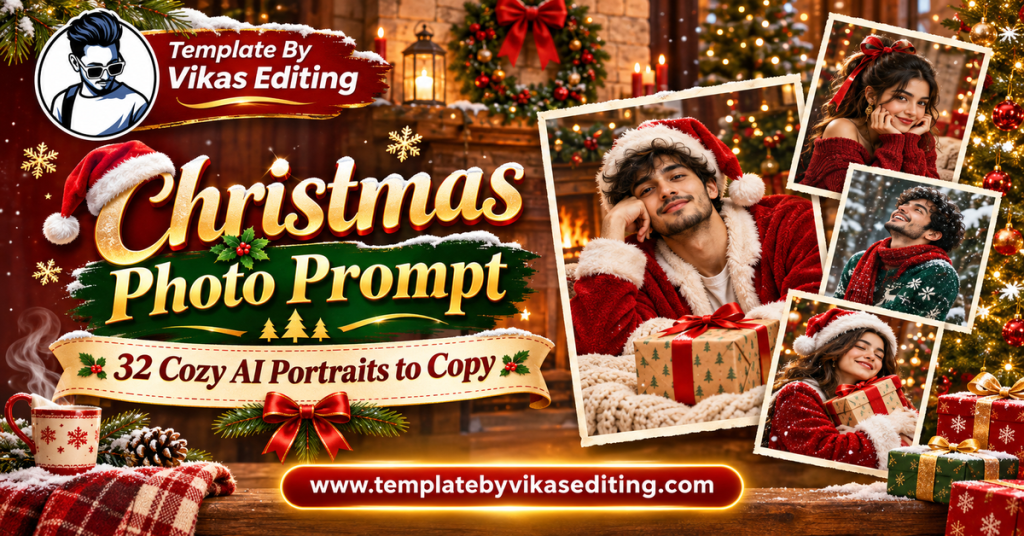
This page shares 32 Christmas prompts grouped into four sets: cozy solo portraits, couple Christmas photos, family and friends Christmas photos, and creative festive ideas. Each prompt keeps your face exactly the same and sits in its own colour box with a copy button.
After the prompts, you will find easy steps, a style table, tips for warm and realistic results, ideas for Christmas reels, common mistakes and answers to frequent questions. Everything is in simple words so you can start right away. To learn how Christmas traditions began, read this short guide from Britannica.
Cozy Solo Christmas Photo Prompt Ideas
These prompts give you warm, glowing portraits by the tree, the window and the fireplace.
1Christmas Photo Prompt Tree and Fairy Lights
2Fireplace Hot Chocolate
3Snowy Window Portrait
4Santa Hat Close-Up
5Christmas Market Walk
6Gift Wrapping Moment
7Snowfall Street Portrait
8Christmas Cookies Baking
Couple Christmas Photo Prompts
These prompts are made for couples who want romantic festive pictures together.
9Christmas Photo Prompt Couple by the Tree
10Mistletoe Moment
11Snow Walk Hand in Hand
12Matching Pyjamas Couple
13Ice Skating Date
14Couple Candle Dinner Christmas
15Couple Fireplace Cuddle
16Couple Christmas Market
Family and Friends Christmas Photo Prompts
These prompts bring everyone together for festive group photos.
17Christmas Photo Prompt Family Portrait
18Family Christmas Dinner
19Kids Opening Gifts
20Friends Secret Santa Party
21Grandparents Christmas Moment
22Family Snowman Building
23Carol Singing Group
24Office Christmas Party
Creative Christmas Prompt Ideas
These artistic prompts help your Christmas post stand out.
25Christmas Photo Prompt Snow Globe Me
26Christmas Ornament Portrait
27Vintage Christmas Card
283D Christmas Figurine
29Gingerbread House Scene
30Reindeer Sleigh Ride
31Christmas Movie Poster
32Christmas Lights Bokeh Art
How to Use a Christmas Photo Prompt
Step 1: Choose a Clear Photo
Pick a sharp photo with your face well lit. Winter clothes in the original photo help, but they are not needed.
Step 2: Open Gemini or Your AI Tool
Open Gemini and sign in. Other AI photo editors with text prompts also work.
Step 3: Upload Your Photo
Upload one photo for solo prompts, or several photos in one message for couple and family prompts.
Step 4: Paste the Prompt
Copy any prompt above and paste it under your photos. Send it.
Step 5: Check Faces and Details
Look at faces, hands and any text on cards or posters.
Step 6: Download and Share
Download in full quality and share your Christmas post.
Making Group Photos Work
For family prompts, upload clear photos of each person and say how many people should appear, like “a family of four”.
Keeping Everyone Recognisable
Ask Gemini to “keep every face exactly as in the uploaded photos” at both the start and end of the prompt.
Adding Christmas Text
Keep text short, like “Merry Christmas”, and put it in quotes. Check the spelling before you post.
If Text Comes Out Wrong
Remove the text and add it later in an app like Canva or CapCut.
Christmas Photo Styles Compared
| Style | Best For | Suggested Frame | Mood |
|---|---|---|---|
| Cozy solo | DP and feed posts | 4:5 | Warm and calm |
| Couple | Romantic posts | 4:5 | Sweet and festive |
| Family and friends | Group posts | 4:5 or 16:9 | Joyful |
| Creative | Standout posts | 1:1 or 9:16 | Magical |
Why Christmas AI Photos Are Trending
Every December, festive AI edits flood Instagram. The reason is simple: everyone wants to join the Christmas mood, but not everyone has the setup at home. A christmas photo prompt removes that gap. You can live in a small flat in a hot city and still share a snowy, glowing portrait by a fireplace.
Fast and Fun
You get a festive photo in seconds, which makes it easy to post more often during the holiday season.
Easy to Share With Friends
When one friend posts a Christmas AI photo, others want to try it too. This is why holiday trends spread so quickly.
Perfect for Year-End Posts
Christmas photos also work well for year-end recaps and New Year wishes, so one edit can be used more than once.
How to Write Your Own Christmas Photo Prompt
Each christmas photo prompt here follows a simple pattern that you can reuse.
Lock the Faces
Start with a face-lock line for each person in the photo.
Pick One Christmas Element
Choose one or two: a tree, fairy lights, snow, a fireplace, a Santa hat or gifts.
Choose the Place and Outfit
A living room, a snowy street, a market or a kitchen. Add one outfit, like a red knit sweater.
Add Warm Light
Christmas looks best with warm light: fairy lights, candles or firelight.
Finish With Realistic Quality
End with “realistic photo” and a frame size.
Example You Can Try
“Keep my face the same. Show me on a balcony with fairy lights and a small tree, holding a gift box, light snow falling. Warm cozy mood, realistic photo, 4:5.” Change only the place or outfit to create many new ideas.
Make a Christmas Reel
Christmas photos look wonderful inside a festive reel. Make four to six photos from different sets, then add them to a photo template from our template by Vikas video CapCut list. Add a warm caption and a soft festive song. For New Year posts right after Christmas, see our New Year photo prompt collection. For cozy festive shots with your partner, see our Gemini couple photo prompt guide.
Plan Your Christmas Posts
Post a cozy solo photo a few days before Christmas, a couple or family photo on Christmas Eve and a creative snow globe or poster on Christmas Day. This keeps your feed festive all week.
Best Photos for Christmas Edits
Use a recent, sharp photo taken in soft daylight. A slight smile works for most festive scenes. For couples and families, try to use photos with similar lighting so everyone blends naturally. Avoid photos with heavy filters or stickers, because they confuse the AI.
Tips for Warm and Realistic Christmas Photos
Use Warm Colours
Red, gold, green and cream feel festive. Avoid too many bright neon colours.
Add Soft Bokeh Lights
Blurred fairy lights in the background instantly make a photo feel like Christmas.
Keep Outfits Cozy
Knit sweaters, scarves and coats match the winter mood perfectly.
Keep One Light Source in Focus
Choose fairy lights, a fireplace or candles as the main light. One clear light source keeps faces natural and avoids mixed colours on the skin.
Pick a Matching Colour Theme
Red and gold feel classic, while white and silver feel calm and snowy. Pick one theme and keep it across your photos.
Choose a Calm Background
A slightly blurred background keeps attention on you. Ask for “soft blurred background” if the scene feels too busy.
Celebrate Your Way
In India, many people celebrate Christmas without snow. You can ask for a decorated home or a church with lights instead of snow for a more local feel.
Christmas Celebrations Around India
Christmas in India has its own beautiful style, and your photos can show it. In Goa, churches glow with lights and homes hang paper star lanterns. In Kerala, star lanterns and cribs decorate every street. In Mumbai’s Bandra, lanes fill with lights, music and festive stalls. In Shillong and the North East, carol singing and community feasts are a big part of the season. In big cities, malls and cafes put up giant trees and winter markets.
Add Local Details to Your Prompt
Try adding “paper star lanterns outside the house” or “a lit church in Goa at night” to any christmas photo prompt. These small local details make your photo feel personal and real.
Mix Tradition and Festivity
You can wear a saree or kurta with a red shawl and still stand beside a Christmas tree. Indian outfits with Christmas decor make a lovely and unique combination.
Christmas Photo Ideas for Every Day of the Week
Christmas week is busy, so a simple plan helps. On Monday, post a cozy window or fireplace photo. On Tuesday, share a baking or gift wrapping scene. Midweek, post a couple or friends photo. On Christmas Eve, share a family dinner or tree portrait. On Christmas Day, post your most creative idea, like a snow globe or movie poster. Ending the week with a New Year teaser keeps your followers excited for what comes next.
Common Mistakes and Fixes
Face Looks Different
Use a clear front-facing photo and repeat the face-lock line.
Too Many Decorations
Ask for “simple elegant decorations” if the scene feels crowded.
Snow Looks Fake
Add “soft realistic snowflakes and natural snow on the ground”.
Skin Looks Too Orange
Warm lights can make skin orange. Add “keep my natural skin tone”.
Christmas Gift Ideas Using AI Photos
Your AI Christmas portraits can become lovely gifts too. Print a cozy family portrait and frame it for your parents. Turn a couple photo into a calendar for the new year. Send friends a personalised vintage Christmas card made from their photo. Even a small printed snow globe image on a greeting card feels special. These gifts cost very little but show real thought and effort.
Ask Before You Share
If you create a portrait of a friend or family member, show it to them before posting. Everyone likes to choose which photos of themselves go online.
Frequently Asked Questions
What is a Christmas photo prompt?
A Christmas photo prompt is a ready text instruction you paste into an AI tool like Gemini with your photo to create a festive Christmas portrait.
Do I need a Christmas tree at home?
No. The AI adds the tree, lights, snow and decorations for you.
Can I make family Christmas photos with AI?
Yes. Upload clear photos of each person in one message and use a family prompt.
Are these Christmas prompts free?
Yes. The prompts are free, and Gemini offers free photo editing with daily limits.
Can I make an Indian-style Christmas photo?
Yes. Ask for a decorated home, a church with lights or a market without snow for a local Christmas look.
Which prompt is best for a Christmas DP?
The Santa Hat Close-Up and Tree and Fairy Lights prompts make lovely DPs.
Conclusion
A christmas photo prompt is the easiest way to create warm, glowing festive portraits without a photoshoot. Choose a cozy solo, couple, family or creative style, upload a clear photo and paste the prompt. Keep the light warm, the outfits cozy and the faces real. Then add your photos to a Christmas reel and share the festive joy. Save this page and come back every December for a fresh Christmas look.